 Feature

Docusign
The most complete e-signature ladder in this cluster and the only one that still meters how many agreements you may send, with eSignature plans at $10, $25 and $40 per user per month prepaid annually, allowances of 5 per month or 100 per user per year, and a hard ceiling of 50 users before sales has to be called.
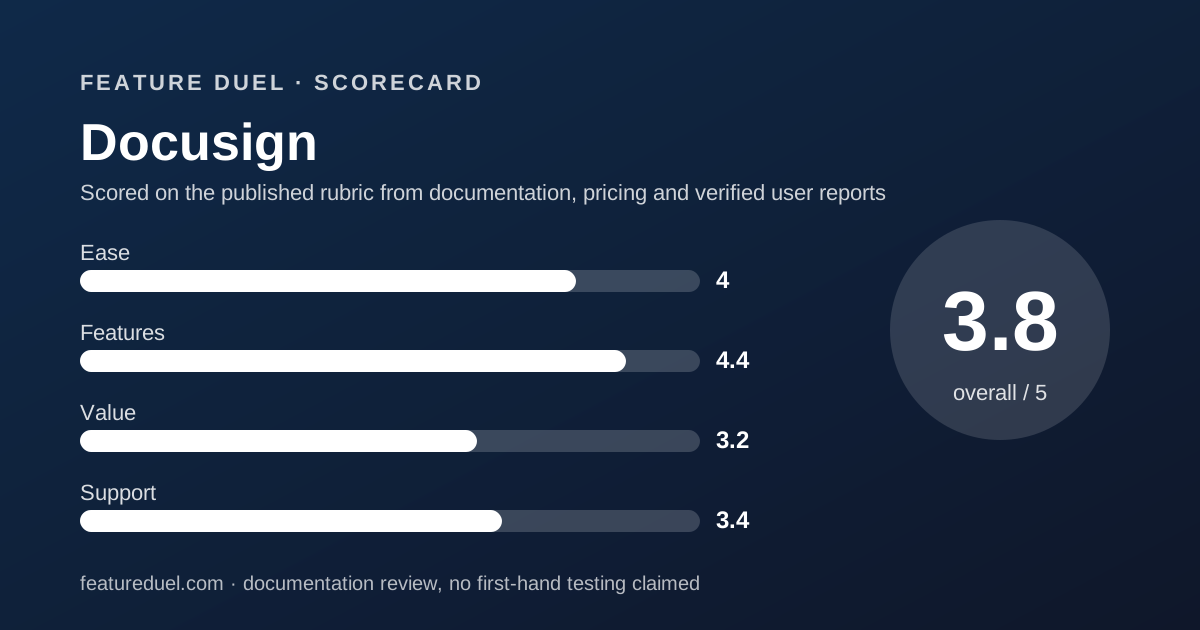
Scored on the published rubric, from documentation, pricing and verified user reports.
Best for: A team that signs a predictable number of agreements each year, wants the name every counterparty already recognises, and can live with a metered send allowance plus a 50-user ceiling on the self-service plans.
Verdict
Docusign wins the feature round of this cluster and loses the pricing round. Its plans page is the most honest document of the four we read, printing three billing modes, the exact annual commitment for each, and a plain-English label on every cell of the feature grid. The cost of that completeness is the envelope allowance: 5 a month on Personal, 100 per user per year on annual team plans, 10 per user per month if you pay monthly, then pay-as-you-go at a rate the page never names. This grade comes from a documentation review of the rendered pricing page and its embedded plan catalogue, not from use.
Visit Docusign
We have no affiliate relationship with this vendor. Link goes to the official site.
Where it is strong
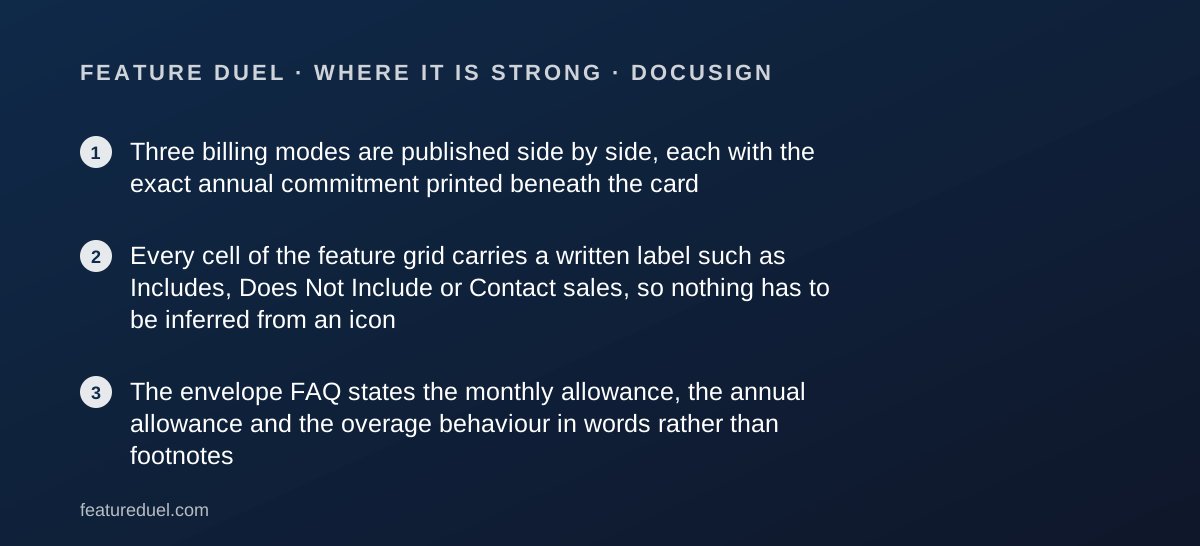
- Three billing modes are published side by side, each with the exact annual commitment printed beneath the card
- Every cell of the feature grid carries a written label such as Includes, Does Not Include or Contact sales, so nothing has to be inferred from an icon
- The envelope FAQ states the monthly allowance, the annual allowance and the overage behaviour in words rather than footnotes
Where it falls short
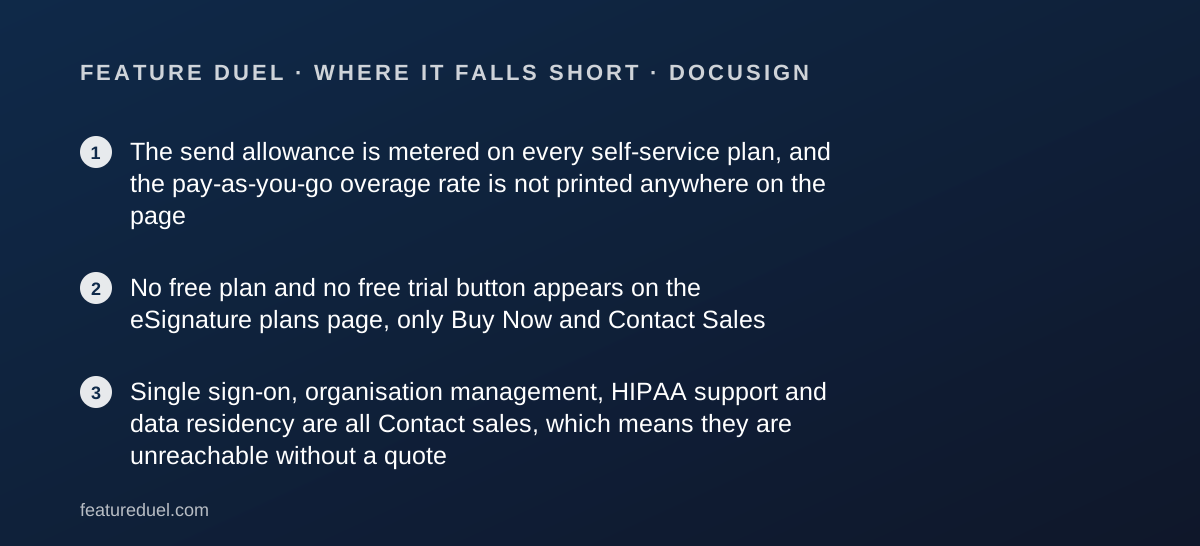
- The send allowance is metered on every self-service plan, and the pay-as-you-go overage rate is not printed anywhere on the page
- No free plan and no free trial button appears on the eSignature plans page, only Buy Now and Contact Sales
- Single sign-on, organisation management, HIPAA support and data residency are all Contact sales, which means they are unreachable without a quote
At a glance
| Pricing note | From $10 a month for one person prepaid annually, or $25 per user per month for a team, with the card view defaulting to the annual-billed-monthly rates of $11 and $30 (plans page, read November 1, 2026) |
|---|---|
| Entry plan | Personal $10/mo prepaid annually, a $120 commitment for the year |
| Team plans | Standard $25/user/mo and Business Pro $40/user/mo prepaid annually |
| Month-to-month rate | Personal $15, Standard $45/user, Business Pro $65/user |
| Envelope allowance | 5 per month on Personal; 100 per user per year on annual team plans; 10 per user per month on monthly plans |
| Seat ceiling | Up to 50 users on Standard and Business Pro; 50+ users routes to an Enhanced plan |
| Free plan or trial | Neither is offered on this page |
| Refund | 30 days on annual plans bought on Docusign.com, usable once per customer |
| eIDAS level | SeS on Personal, Standard and Business Pro; AeS, SeS and QeS on Enhanced |
| Named add-ons | SMS delivery from $0.36 each, recipient identity verification from $2.40 per attempt |
What Docusign actually sells on this page
Docusign sells a metered sending licence, not unlimited signing. The unit is the envelope, and the page defines it precisely: an electronic record holding one or more documents sent for signature.
One envelope can carry many documents and many signers and still counts once. It counts the moment it is sent, whether or not anyone signs.
That definition is the whole review. Everything else is a question of which features ride along with the allowance you bought.
The answer sits in a feature grid we read cell by cell. Our method is set out in how a duel is scored.
Who Docusign suits
The fit is narrower than the brand suggests, and it turns on volume rather than headcount.
- A one-person practice sending under five agreements a month, where Personal at $10 prepaid annually covers the whole workload
- A sales team of five to twenty that signs a few contracts a week and can live inside 100 envelopes per user per year
- An operation whose counterparties expect the Docusign sender email and balk at an unfamiliar one
- A buyer who has to defend a plan choice in writing, because every grid cell on this page is labelled in words
- A finance team that wants the annual commitment printed before it signs, which this page does under every card
Who should look elsewhere
Three profiles will fight this pricing model rather than use it.
- Anyone whose sending is seasonal, because overage is billed per envelope at a rate the page never names
- A team that will cross 50 users, which is the published ceiling on both self-service team plans
- A buyer who needs SSO, HIPAA support through a BAA or data residency, all of which read Contact sales
Round one, onboarding: there is no free door
Docusign loses this round on a single fact. The eSignature plans page offers no free tier and no trial button, only Buy Now on the three paid cards and Contact Sales on the two Enhanced blocks.
That is unusual in this cluster. Two of the three rivals we read put a free trial button on the card itself, and one publishes a free plan.
The softening is a refund rather than a trial. The FAQ states that annual plans bought on Docusign.com carry a refund within 30 days of purchase, and a footnote adds that the option may only be used once per customer.
Round two, core workflow: the envelope is the unit of account
The allowance is where a cheap plan turns expensive. Personal includes five envelopes every month, full stop.
Annual Standard and Business Pro include up to 100 envelopes per user per year. The monthly versions of the same plans include up to 10 per user per month, which is 120 a year rather than 100.
That inversion is worth pausing on. Paying monthly costs more per seat and buys a slightly larger annual allowance, so the cheaper billing mode is also the tighter one.
The FAQ is candid about what happens next. Excess envelopes are billed pay-as-you-go at a set per-envelope rate, and envelopes sent through PowerForms count too. The rate itself is not printed anywhere on the page.
How the pricing is structured: three columns for the same plan
Docusign publishes three billing modes for every eSignature plan, and the card you see first is not the cheapest one.
Prepaid annually, the plans read $10, $25 per user and $40 per user a month, which the embedded catalogue totals at $120, $300 and $480 for the year. Both figures multiply out exactly.
The default card view is a third mode labelled Annual, billed monthly, at $11, $30 and $45 a month. Under each card a line reads that this is an annual commitment of $132, $360 or $540.
Month-to-month is the expensive door at $15, $45 and $65. The banner claim of saving up to 33% matches the Standard pair exactly, since $30 against $45 is a 33.3% cut by our arithmetic.
Every card closes with the line that additional tax may apply, so none of these numbers is a checkout total. The general argument for and against prepaying is in our annual versus monthly billing duel.
The add-on prices on the card are the annual rates
Two add-ons are advertised below the grid. Send with SMS reads starting at $0.36 per delivery, and recipient identity verification reads starting at $2.40 per attempt.
The embedded catalogue shows where those numbers come from. Both are the annual-billed-monthly rates. The monthly and annual-prepaid rates for the same units read $0.40 per delivery and $2.50 per check.
The catalogue also lists overage prices of $0.50 per delivery and $3.00 per verification, plus a minimum purchase of 10 units and a default of 30. None of that appears in the advertised line.
The page is explicit that add-ons cannot be bought without a base plan, and that they attach only to Standard or Business Pro.
Round three, integrations: the API sits behind the top plan
Cloud storage and productivity integrations are available on every tier. The grid marks Google Drive, OneDrive, Dropbox, Box, Google Workspace and Microsoft 365 as Includes on all four columns.
Workplace integrations are the first wall. Slack, Microsoft Teams, Zoom and Stripe read Does Not Include on Personal and Includes from Standard up.
The second wall is higher. A developer account, the APIs and the claim of 1000+ partner integrations all read Does Not Include on Personal and Standard, and Includes only from Business Pro.
The third wall has no price at all. Salesforce, Microsoft Dynamics and NetSuite read Does Not Include on all three self-service columns and Contact sales on Enhanced.
If your CRM is one of those, this page cannot sell you what you need. Our HubSpot Sales Hub review and our Pipedrive review cover the CRM side of that join.
Round four, pricing value: what a ten-person team actually pays
Docusign does not publish team totals, so the figures below are our arithmetic from its per-seat numbers.
Ten Standard seats prepaid annually come to $250 a month and $3,000 a year. Ten Business Pro seats come to $400 a month and $4,800 a year.
Those ten Standard seats carry 1,000 envelopes for the year between them, pooled at 100 per user. For a team closing two contracts a day, that allowance runs out in the second half of the year.
The seat ceiling matters at the same scale. The grid reads up to 50 users on Standard and Business Pro, and 50+ users on Enhanced plans only. Whether you are paying per person at all is the argument in our shared-login versus seat-per-person duel.
Round five, support: phone help is a sales conversation
Support is the thinnest column on the page. The Enhanced block advertises 24/7 live technical support as one of its reasons to call sales.
For the three paid self-service plans, the grid offers no support row at all. There is a phone number on the page, 1 (877) 720-2040, and it is labelled for sales rather than service.
That is a real gap against this cluster. Two rivals we read put 24/7 chat or email support on their entry plans in writing. Docusign puts the promise one tier above anything you can buy online.
For comparison on how a help desk vendor words the same promise, see our Zendesk review.
What the grid says Personal does not include
Personal is cheap because it is a single-signer licence with the collaboration stripped out. The grid marks all of the following as Does Not Include.
Customised branding, collaborative commenting, scheduled sending, in-person signing, pre-filled fields and the value calculator are all absent. So are user and group permissions, team reports, shared templates, shared folders, delegated signing and custody transfer.
Templates themselves are included, which is the one generous call on the card. Reporting, the mobile app, the real-time audit trail and 44+ signing languages are marked Includes on every column.
Business Pro is where the form-building arrives: locked templates, drop-down and radio fields, drawing fields, payment collection, signer attachments, PowerForms and bulk send all turn on there and nowhere lower.
Compliance items the page routes to sales
The security section is where the self-service story ends. ISO 27001, SOC 2 Type II, WCAG 2.0 Level AA, GDPR and email access codes read Includes on every column.
Then the list turns. Knowledge-based authentication, data residency, HIPAA support through a BAA, FedRAMP moderate authorisation, 21 CFR part 11 and Docusign Monitor all read Does Not Include on the three paid plans and Contact sales on Enhanced.
SMS and phone authentication read Does Not Include on Personal and Standard, and Contact sales on both remaining columns, with a footnote that additional fees may apply.
The eIDAS row is the clearest statement of the ladder. Personal, Standard and Business Pro all read SeS. Only Enhanced plans read AeS, SeS and QeS.
What this page does not show
No ratings badge appears on the eSignature plans page, so we have no G2 or Capterra figure to quote from the vendor's own publication.
That is a neutral fact rather than a complaint. Two rivals in this cluster do print review scores on their pricing pages, and one of them prints scores dated more than a year earlier.
The page is similarly quiet on the overage rate per envelope, on the price of the Standard Unlimited and Business Pro Unlimited plans that sit in its own embedded catalogue, and on anything an Enhanced plan would cost.
We could read the catalogue entries for those hidden plans: Standard Unlimited lists at $25 prepaid annually and $40 on annual billed monthly, a $480 commitment, and Business Pro Unlimited at $40 and $62, a $744 commitment. Neither appears on a card you can buy.
Alternatives worth a side-by-side
PandaDoc removes the allowance entirely. Documents created through its interface read unlimited from the Starter plan up, at $19 per seat a month billed annually.
Its whole platform is aimed at proposals rather than signatures alone. Choose PandaDoc if your document is a quote you build; choose Docusign if it is a contract you send.
SignNow attacks the seat count instead of the allowance. It prints unlimited users on all four plans and meters invites per account rather than per person, at $8, $15 and $30 a month billed annually.
Choose SignNow if the signing load sits with two or three people but the account needs many logins.
Dropbox Sign splits the difference. Its plans read unlimited signature requests at $15 a month for one person and $25 per user a month for a team, both billed yearly, but Essentials caps templates at five and strips branding, bulk send and reporting.
If the broader question is whether to buy one suite or four tools, the case is laid out in our all-in-one versus best-of-breed duel and in our best CRM for a small sales team guide.
Bottom line
Docusign is the best-documented pricing page in this cluster and the most expensive way to sign a document in it.
The three published billing modes, the printed annual commitments and the written labels on every grid cell mean a buyer can plan without guessing. That earns the features round outright.
The envelope allowance and the unpublished overage rate lose the pricing round just as clearly. A team that sends in bursts cannot forecast its bill from this page.
Buy it when the name on the signature request is worth the premium and the volume is steady. Look at the alternatives above when it is not.
Buy it if
- Your counterparties already know the name. Docusign is the default in US real estate and procurement, and a recognised sender email removes one round of questions.
- Your annual volume is predictable. The allowance of 100 envelopes per user per year is generous for a team that sends a few agreements a week and punishing for one that sends in bursts.
- You need the feature grid to be unambiguous. Every cell is labelled in words, so a procurement review can quote the page rather than interpret an icon.
- You pay yearly. Prepaying drops Standard from $45 to $25 per user per month, the largest single discount in this cluster.
Skip it if
- You want to try before paying. The plans page shows no free tier and no trial button, only Buy Now and Contact Sales.
- You will pass 50 users. The grid caps Standard and Business Pro at 50 and sends everything above that to sales.
- You need SSO or HIPAA support. Both read Contact sales on all three self-service columns, so neither is purchasable from the page.
- Your sending is lumpy. Overage is charged per envelope at a rate the page declines to publish, which makes a bad month unforecastable.
Frequently asked
How much does Docusign cost per month?
Prepaid annually the eSignature plans read Personal $10, Standard $25 per user and Business Pro $40 per user. Month-to-month the same plans read $15, $45 and $65. The cards default to a third mode, annual billed monthly, at $11, $30 and $45. Read November 1, 2026.
Does Docusign have a free plan?
Not on the eSignature plans page. Every card carries a Buy Now button or Contact Sales, and no free tier or trial offer appears in the rendered page. Recipients do sign for free and do not need an account, per the page FAQ.
How many documents can I send on a Docusign plan?
Personal includes five envelopes every month. Annual Standard and Business Pro plans include up to 100 envelopes per user per year, and monthly versions of those plans include up to 10 per user per month. Excess envelopes are billed pay-as-you-go.
How much does Docusign cost for a ten-person team?
Ten Standard seats prepaid annually list at $25 each, which is $250 a month or $3,000 a year by our arithmetic from the published per-seat figure. Ten Business Pro seats list at $40 each, $400 a month or $4,800 a year. Taxes are added separately.
Can I cancel a Docusign annual plan?
The page states annual plans bought on Docusign.com carry a refund within 30 days of purchase, once per customer. On the annual-billed-monthly mode you may cancel inside the first 30 days without paying the balance; after that the remaining term is owed.
Does Docusign include single sign-on?
No self-service plan includes it. The grid row for access management and SSO reads Does Not Include for Personal, Standard and Business Pro, and Contact sales for Enhanced plans. Organisation management and 24/7 live technical support sit in the same position.
What do the Docusign add-ons cost?
The page lists SMS delivery starting at $0.36 per delivery and recipient identity verification starting at $2.40 per attempt. The embedded plan catalogue shows those as the annual-billed-monthly rates; the monthly and annual-prepaid rates for the same units read $0.40 and $2.50.
Sources
- Docusign products and pricing page, rendered DOM and embedded plan catalogue - checked November 1, 2026
- Docusign eSignature plans and pricing FAQ, same page - checked November 1, 2026
- Docusign reasonable use policy, linked from the envelope allowance note - checked November 1, 2026
Visit Docusign
We have no affiliate relationship with this vendor. Link goes to the official site.