 Feature

Mailchimp
Four plans from a 500-send free tier to a $350 Premium, with overages billed automatically, no annual price published below 10,000 contacts, and duplicate contacts counted twice
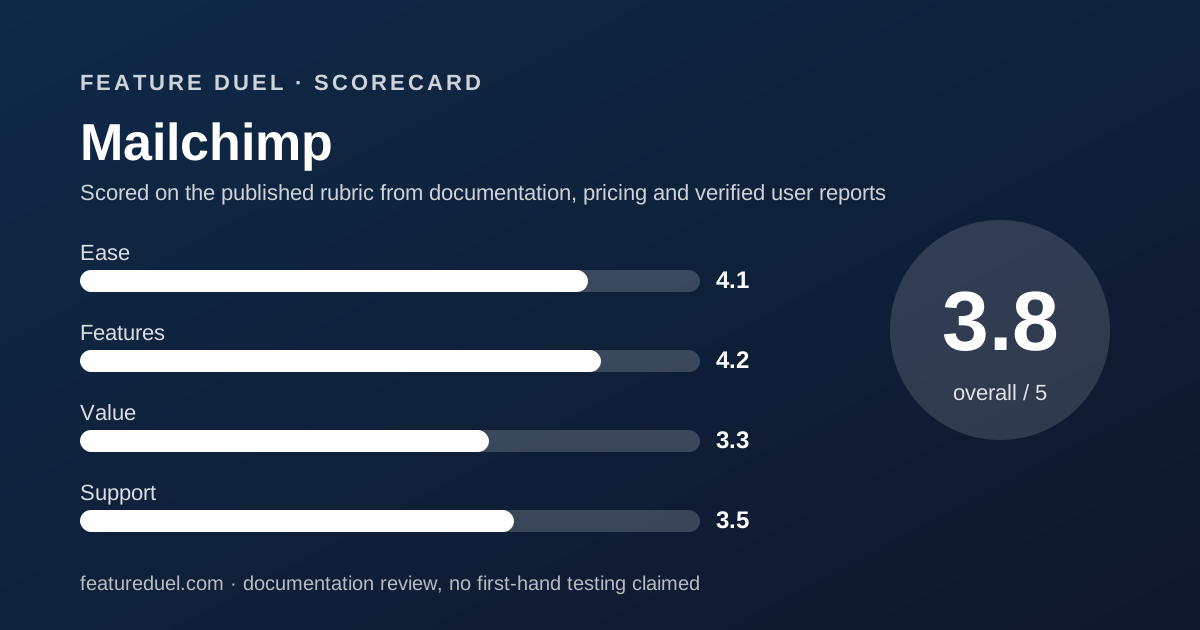
Scored on the published rubric, from documentation, pricing and verified user reports.
Best for: An ecommerce seller who wants deep store integrations and branching automation, and who can live with a bill that raises itself when the list or the send count runs over.
Verdict
Mailchimp publishes a detailed feature grid and keeps the most expensive part of the bill off the price card. This is a documentation review. Every figure comes from the Mailchimp marketing pricing page, USD rows, read on October 28, 2026. Four plans exist. Free includes 1 seat, 1 audience, a maximum of 250 contacts and up to 500 sends a month with a daily cap of 250. Essentials is $13 a month and Standard is $20, both at an included 500 contacts, and Premium is $350 at an included 10,000. Send limits scale with the plan: 10 times your contact count on Essentials, 12 on Standard, 15 on Premium. Two clauses deserve more attention than the headline prices. Overages are billed automatically once you pass a contact or sending limit. And a contact in two audiences counts twice toward the plan's contact total.
Visit Mailchimp
We have no affiliate relationship with this vendor. Link goes to the official site.
Where it is strong
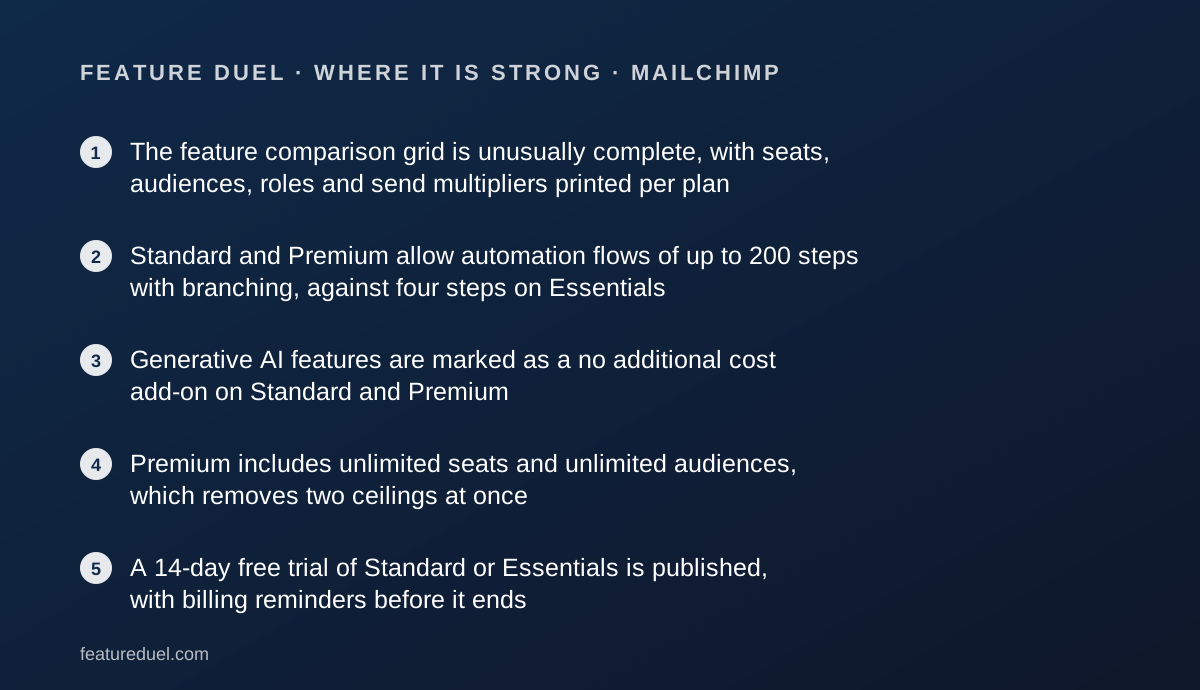
- The feature comparison grid is unusually complete, with seats, audiences, roles and send multipliers printed per plan
- Standard and Premium allow automation flows of up to 200 steps with branching, against four steps on Essentials
- Generative AI features are marked as a no additional cost add-on on Standard and Premium
- Premium includes unlimited seats and unlimited audiences, which removes two ceilings at once
- A 14-day free trial of Standard or Essentials is published, with billing reminders before it ends
- Pay-as-you-go email credits exist for infrequent senders who do not want a subscription
Where it falls short
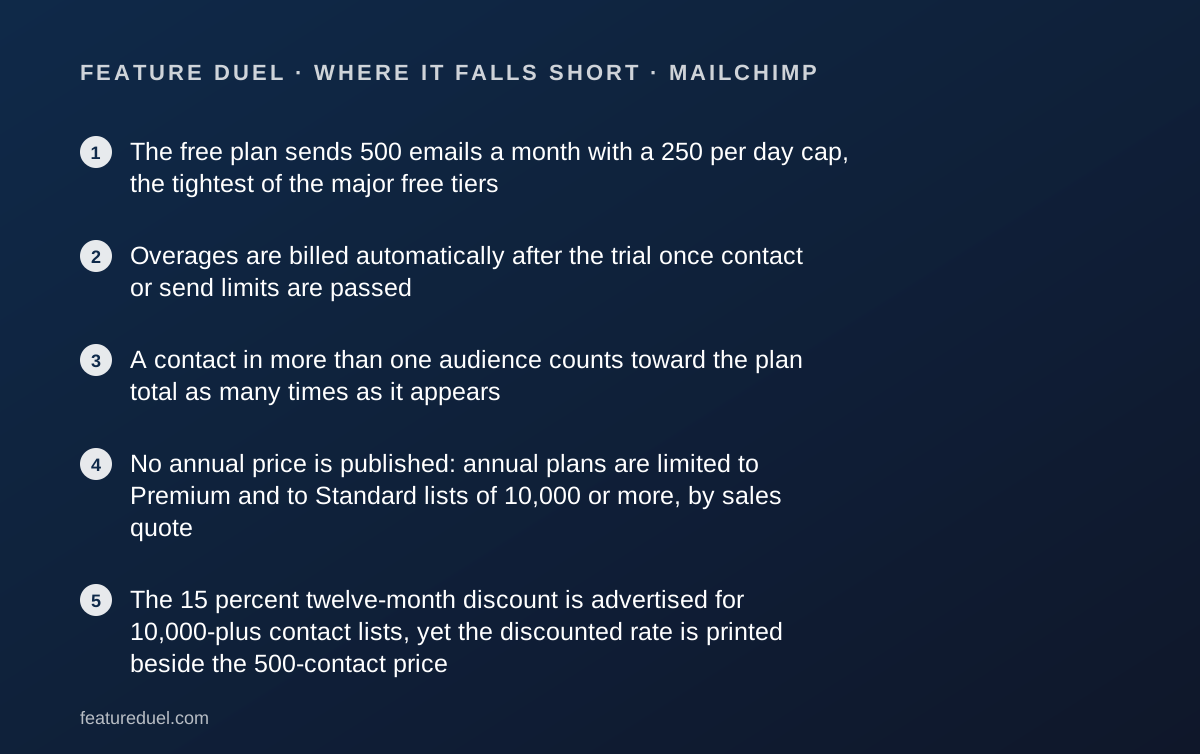
- The free plan sends 500 emails a month with a 250 per day cap, the tightest of the major free tiers
- Overages are billed automatically after the trial once contact or send limits are passed
- A contact in more than one audience counts toward the plan total as many times as it appears
- No annual price is published: annual plans are limited to Premium and to Standard lists of 10,000 or more, by sales quote
- The 15 percent twelve-month discount is advertised for 10,000-plus contact lists, yet the discounted rate is printed beside the 500-contact price
At a glance
| Starting price | Essentials $13/mo and Standard $20/mo at an included 500 contacts; Premium $350/mo at an included 10,000 |
|---|---|
| Pricing note | From $13/mo on Essentials at the included 500 contacts, with Standard at $20 and Premium at $350 at its included 10,000 contacts (pricing page, USD rows, checked October 28, 2026) |
| Advertised discount | 15 percent off the first twelve months, stated for businesses with 10,000 or more contacts |
| Discounted rates printed | Essentials $11.05, Standard $17, Premium $297.50 per month for twelve months |
| Free plan | 1 seat, 1 audience, maximum 250 contacts, up to 500 sends a month, 250 maximum per day |
| Trial | 14 days on Standard or Essentials; a one-month Premium trial is offered to qualified new customers through sales |
| Seats | Free 1, Essentials 3, Standard 5, Premium unlimited |
| Audiences | Free 1, Essentials 3, Standard 5, Premium unlimited |
| Roles | Essentials 2, Standard 4, Premium 5; role-based access is not included on Free |
| Monthly send limit | Free 500 a month or 250 a day; Essentials 10 times contacts; Standard 12 times; Premium 15 times |
| Automation flows | Not included on Free; up to 4 steps on Essentials; up to 200 flows with up to 200 steps and branching on Standard and Premium |
| Generative AI | Intuit Assist, listed as a no additional cost add-on on Standard and Premium, beta, English only in select countries |
| Overage policy | Mailchimp states it will automatically bill for overages after the free trial |
| Annual billing | Published only for Premium and for Standard plans of 10,000 or more contacts, through sales |
| Support | Free email support for the first 30 days; email and chat on Essentials and Standard; priority email and chat plus English-language phone support on Premium |
What Mailchimp actually is
Mailchimp is an email marketing and automation platform priced by contact count, now sold under Intuit.
The contact meter is the whole model. You pick a plan for features and a contact tier for size, and the send allowance follows from the contact tier as a multiple.
Around the email core sits a wide product: audiences, segmentation, automation flows, landing pages, social posting, reporting and more than 300 integrations.
That breadth is why it is usually compared with suites rather than with newsletter tools. The trade is the one we describe in all-in-one suites versus best-of-breed stacks.
Who Mailchimp is best for
The grid rewards a particular kind of buyer. Read this before the prices.
- Online stores, where the integration list and commerce automations are the deepest in this bracket
- Teams that need branching automation, which begins at Standard with up to 200 steps per flow
- Accounts with more than five people, since Premium lifts the seat ceiling entirely
- Marketers who want generative AI drafting included rather than metered, on Standard and above
- Senders who would rather absorb an overage charge than have a campaign halted mid-flight
Who should skip it
Three groups should price this carefully before committing.
- New lists hoping to launch free, because 500 sends a month is a single small campaign
- Anyone running overlapping audiences, since duplicates count toward the contact total each time
- Buyers who need a committed annual price without a sales call, which the page does not publish
What the free plan includes as of October 2026
The free tier is a sampler, and the page is honest about it.
It includes 1 seat, 1 audience with a maximum of 250 contacts, and up to 500 sends per month with a maximum of 250 in a day.
Marketing automation flows are marked Not included on Free. Role-based access is also not included. Custom-coded templates read Create, upgrade to send.
Support is email for the first 30 days, after which the free account has no support channel listed.
The page also warns that sending will be paused if the contact or email send limit is exceeded. On the free plan that pause is the mechanism. On paid plans, as we will see, it becomes a charge instead.
What each plan costs, read on October 28, 2026
The USD rows at the default contact tier read as follows:
- Free: $0, 250 contacts, 500 sends a month
- Essentials: $13 a month, with 500 contacts included
- Standard: $20 a month, with 500 contacts included
- Premium: $350 a month, with 10,000 contacts included
- Above 200,000 contacts: a high-volume plan quoted by sales
The discount on the card and the discount in the banner do not match
This is the one place where the page argues with itself, and we print both sides.
Beside each plan the card shows a second figure: $11.05 a month for twelve months on Essentials, $17 on Standard and $297.50 on Premium. Each is exactly 15 percent below the monthly rate, which is our arithmetic.
The banner above the cards states the condition. Businesses with 10,000 or more contacts can save 15 percent on their first twelve months.
The footer repeats it: save 15 percent for twelve months with 10,000-plus contacts on the Essentials plan.
So the discounted figure is displayed at the 500-contact tier while the offer text restricts it to much larger lists. Confirm which price applies at checkout before you budget on it.
Send limits are a multiple of your contacts, not a flat allowance
Mailchimp does not sell you a send volume. It sells you a contact tier and derives the sends.
The published multipliers are 10 times your maximum contact count on Essentials, 12 times on Standard and 15 times on Premium.
At the included 500 contacts that works out at 5,000, 6,000 and 7,500 sends a month. The arithmetic is ours, on the vendor's stated multipliers.
The effect is that frequency and list size are locked together. You cannot buy a small list with heavy sending, which is exactly the pattern a daily newsletter has.
For most senders the multiplier is generous. For daily senders to a small audience it is the first ceiling they will hit.
Overages are billed automatically, which is the clause to read twice
The FAQ is direct about what happens when you cross a line.
After the free trial, if you hit your contact or sending limit, Mailchimp will automatically bill you for the overages. As long as those are paid on time, campaigns are not stopped and the account is not paused.
There are two ways to read that. It is a service: nothing breaks in the middle of a launch.
It is also a billing model with no ceiling you set yourself. The page describes no spending cap and no approval step before an overage charge.
The same FAQ adds that during a free trial, if the audience grows into a more economical tier, Mailchimp may upgrade the contact tier so billing begins there.
Duplicate contacts are counted more than once
Buried in a tooltip is a line with real money attached.
Adding a contact to more than one audience will count them toward your plan's contact count as many times as they appear.
That matters because audiences are how Mailchimp separates distinct groups. A company with a customer list, a newsletter list and an event list may hold the same person three times.
On a 10,000-name database split that way, the billable count could be meaningfully higher than the number of actual people.
Audience ceilings make it worse before they make it better: Free allows 1 audience, Essentials 3, Standard 5, and only Premium is unlimited. Plan the structure before you import.
Seats and roles: three, five, then unlimited
Mailchimp prints its seat ladder clearly, which not every vendor does.
Users run 1 on Free, 3 on Essentials, 5 on Standard and unlimited on Premium. Role-based access runs 2 roles on Essentials, 4 on Standard and 5 on Premium, and is not included on Free.
The named roles are published too. Essentials gets Owner and Admin. Standard adds Author and Viewer. Premium adds Manager.
Three seats at $13 a month is a fair entry position for a small team, and better than several rivals at the same price.
It is also the reason the free plan is a poor place to run a business, since one seat means one shared login. We explain the cost of that in shared login versus a seat per person.
Automation is where Essentials and Standard genuinely differ
Most of this ladder is about volume. The automation row is about capability.
Essentials includes marketing automation flows and templates with up to 4 steps per flow. Standard and Premium include flows with up to 200 steps per flow, multiple branching points and more. Both are capped at up to 200 flows.
Four steps is a welcome series. Two hundred steps with branching is a lifecycle programme.
If your plan involves abandoned carts, win-back sequences or anything conditional, Essentials is not the plan, whatever the price difference looks like.
That is a $7 a month gap at the entry contact tier for the single largest capability change in the product.
What the AI add-on does and does not promise
Intuit Assist is listed on the grid as a no additional cost add-on for Standard and Premium, and Not included for Essentials and Free.
The disclaimer attached to it is worth quoting in substance. It is in beta, available to certain users in select countries in English only, and access is at no additional cost at this time.
The phrase at this time is doing the work. The same note says pricing, terms, features and service options are subject to change without notice.
We do not score features that may be withdrawn or priced later as though they were contractual.
That is the approach set out in how a duel is scored: a feature counts when the vendor commits to it in writing without a reservation attached.
There is no published annual price, and that is unusual
Every rival in this bracket prints a monthly rate beside an annual one. Mailchimp does not.
The disclaimer reads that for Premium and for Standard plans of 10,000 or more contacts, annual plans are available, and directs readers to contact sales for pricing and eligibility.
So a small business on Essentials has no published way to pay yearly, and no published saving for doing so.
What the page offers instead is the 15 percent twelve-month promotion, which is a discount on monthly billing rather than a commitment price.
The distinction matters when you compare total cost of ownership. Our note on annual billing versus monthly billing sets out why a promotional year and a committed year are not the same purchase.
Support, and the claims we are not counting
Support is published per plan and improves steadily.
Free gets email support for the first 30 days. Essentials and Standard get email and chat. Premium gets priority email and chat, plus phone support in English during business hours.
No response time target and no uptime figure appear on the pricing page. We could not read a published service level there on October 28, 2026.
The page also carries marketing claims we are deliberately excluding from the score. The number one email marketing platform badge is footnoted to December 2023 data on competitors' customer numbers, which is a nearly three-year-old comparison printed in 2026.
The 27 times return figure is attributed to Standard plan users' ecommerce revenue between December 2024 and November 2025. It is a vendor measurement of vendor customers, not an independent study.
Other billing details on the page
Collected from the pricing page and its disclaimers, read October 28, 2026.
- Non-USD prices are described as estimates based on current exchange rates, with the charged amount varying at payment time
- Email credits can be bought as a pay-as-you-go alternative to a plan
- SMS is an add-on in select countries; credits are issued monthly and unused credits expire without rolling over
- MMS is limited to Standard and Premium, sending to United States and Canada contacts
- Customer success management is included with select custom plans spending at least $299 a month
- Premium migration services are funded at three times the subscription payment, for eligible new Premium accounts through sales
Alternatives
Three directions are worth pricing before you commit.
If almost all your email is order-related, your store may already cover it. Check what is bundled with Shopify and BigCommerce before adding a vendor, and read our guide to ecommerce platforms for a small store.
If your real problem is that contacts live in two systems, a CRM with marketing attached may be the cheaper answer. HubSpot Sales Hub is the usual candidate and prices on a different axis.
If your list is large but quiet, look hard at volume-metered platforms instead. Contact pricing is the worst fit for a big list you rarely email.
Bottom line
Mailchimp sells the most complete grid in this comparison and the least predictable bill.
The product is strong where it matters for a store: branching automation at Standard, deep integrations, generous seat counts on paid plans, and AI drafting at no extra charge for now.
The pricing is where the care is needed. Automatic overage billing, contacts counted once per audience appearance, a free tier too small to launch on, and no published annual rate under 10,000 contacts.
Buy it if your sending is commerce-driven and your contact list is clean and single-audience. Model the bill twice if it is not.
Buy it if
- You run an online store and want the deepest set of commerce integrations in this category
- Your automations need branching and more than four steps, which starts at Standard
- You need more than five people in the account, which Premium allows without a seat charge
- You would rather the platform bill an overage than pause a campaign mid-send
Skip it if
- You want a free tier you can actually launch on, since 500 sends a month is one small campaign
- You keep the same people in several audiences, because each appearance counts toward the contact total
- You need an annual price published before you talk to a salesperson
Frequently asked
Is Mailchimp still free?
There is a free plan, but it is small. It allows 1 seat, 1 audience, a maximum of 250 contacts and up to 500 sends a month with a 250 daily cap, per the pricing page read October 28, 2026. Email support covers the first 30 days only.
How much does Mailchimp cost per month?
Essentials is $13 a month and Standard is $20, both at the included 500 contacts. Premium is $350 at its included 10,000 contacts. Those USD figures were read from the pricing page on October 28, 2026.
Does Mailchimp offer annual billing?
Not as a published price. The disclaimers state that annual plans are available for Premium and for Standard plans of 10,000 or more contacts, and direct buyers to contact sales for pricing and eligibility.
What happens if I go over my contact or send limit?
Mailchimp states that after the free trial it will automatically bill you for overages. It adds that as long as overages are paid on time, campaigns are not stopped and the account is not paused.
How many emails can I send on each plan?
The send limit is a multiple of your maximum contact count: 10 times on Essentials, 12 on Standard and 15 on Premium. The Free plan is capped at 500 sends a month, with no more than 250 in a day.
Do duplicate contacts cost extra?
Yes. The pricing page states that adding a contact to more than one audience counts them toward the plan's contact count as many times as they appear. Anyone running several audiences should de-duplicate before estimating a bill.
Sources
- Mailchimp marketing pricing page, USD rows and feature comparison grid - checked October 28, 2026
Update history
- October 28, 2026 - First published. Figures read from the Mailchimp marketing pricing page, USD rows, on October 28, 2026.
Visit Mailchimp
We have no affiliate relationship with this vendor. Link goes to the official site.