 Feature

PandaDoc
The only tool in this cluster with a permanent free plan that carries unlimited seats, and the only one that moves its metering off documents and onto usage credits, with Starter at $19 and Business at $49 per seat a month billed annually.
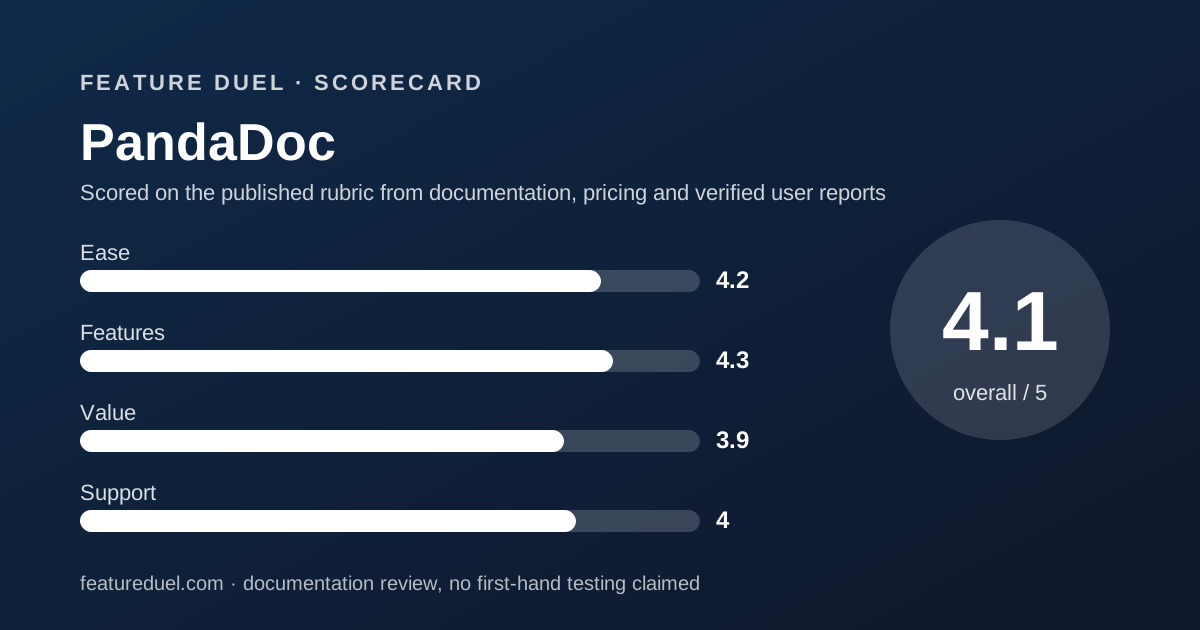
Scored on the published rubric, from documentation, pricing and verified user reports.
Best for: A small sales or professional services team that builds the document as well as sends it, wants unlimited sends from the first paid seat, and can tolerate a second currency called usage credits sitting on top of the seat price.
Verdict
PandaDoc solves the problem Docusign creates and invents a smaller one of its own. Documents created through its interface read unlimited on every paid plan, so no team has to count sends. In exchange, several features that look included are marked optional, requires Usage Credits, which is a second meter the page never prices. The free plan is the most generous in this cluster: 60 documents a year with unlimited seats. Grades here come from a documentation review of the rendered pricing page and its feature grid, not from use.
Visit PandaDoc
We have no affiliate relationship with this vendor. Link goes to the official site.
Where it is strong
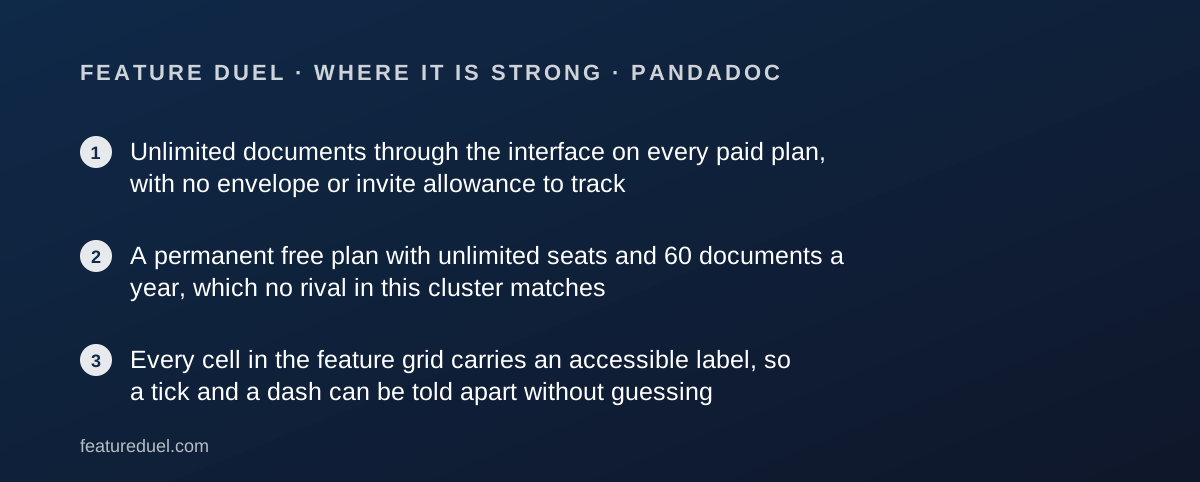
- Unlimited documents through the interface on every paid plan, with no envelope or invite allowance to track
- A permanent free plan with unlimited seats and 60 documents a year, which no rival in this cluster matches
- Every cell in the feature grid carries an accessible label, so a tick and a dash can be told apart without guessing
Where it falls short
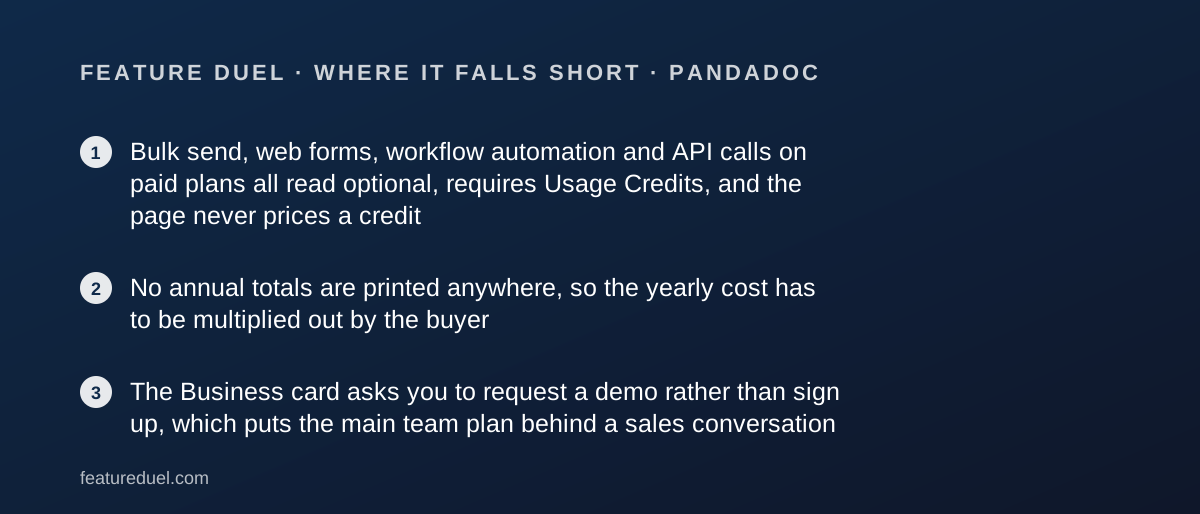
- Bulk send, web forms, workflow automation and API calls on paid plans all read optional, requires Usage Credits, and the page never prices a credit
- No annual totals are printed anywhere, so the yearly cost has to be multiplied out by the buyer
- The Business card asks you to request a demo rather than sign up, which puts the main team plan behind a sales conversation
At a glance
| Pricing note | From $19 per seat a month billed annually, rising to $35 if you pay month-to-month, with a free plan that never expires and carries unlimited seats (pricing page, read November 1, 2026) |
|---|---|
| Free plan | Yes, 60 documents a year with unlimited seats |
| Entry paid tier | Starter $19 per seat a month billed annually, $35 month-to-month |
| Main team tier | Business $49 per seat a month billed annually, $65 month-to-month |
| Advertised saving | Save up to 46%, which matches the Starter pair to within half a point |
| Document allowance | 5 a month shared on Free; unlimited through the interface on every paid plan |
| Templates | Up to 5 on Free and Starter, unlimited on Business and Enterprise |
| Annual totals | None printed; $228 and $588 per seat a year by our arithmetic |
| Tax note | Prices exclude any applicable taxes |
| Ratings printed by the vendor | G2 4.7/5 from 3,324 reviews as of 06/11/2026; Capterra 4.5/5 from 1197 reviews as of 02/01/2025 |
What PandaDoc actually is
PandaDoc is a document builder with signing attached, not a signing tool with a builder attached. That ordering explains the price.
The Business card names custom quotes and sales agreements, deal rooms, approval workflows and a content library before it mentions a signature at all.
The unit of account is the document, and on paid plans the count is removed. Documents created through the PandaDoc interface read unlimited on Starter, Business and Enterprise alike.
What replaces the count is a credit. Our scoring rounds are described in how a duel is scored.
Who PandaDoc suits
The fit is a team whose document does work before anyone signs it.
- A sales team sending quotes with line items, where pricing tables and a product catalogue matter more than the signature block
- A professional services firm whose proposals need branding, a content library and an internal approval step
- A micro-business of two to five people that can run the free plan indefinitely, since seats are unlimited there
- Any team whose monthly volume swings, because the interface document count is uncapped on every paid plan
- A buyer who wants to read a feature grid rather than interpret it, since every cell here carries a written label
Who should look elsewhere
Three buyers will overpay for capability they never touch.
- A signature-only operation, which can start at $8 a month elsewhere in this cluster rather than $19 a seat
- A team that needs bulk send or web forms as a baseline, since both are credit-metered even on Business
- An organisation that requires HIPAA support or data residency, both of which sit on Enterprise and are quoted
Round one, onboarding: the free plan is the real one
PandaDoc takes this round, and it takes it on a tier that costs nothing. The free card reads $0 USD and names its own ceiling in the footer: 60 documents a year, unlimited seats.
Sixty documents a year is five a month, and the grid says exactly that: 5 a month as a shared account limit rather than a per-person one.
Unlimited seats on a free plan is the outlier fact of this whole cluster. The nearest free offer among the rivals we read is a trial that expires.
Starter carries a free trial with no credit card required. Business does not; its card reads Request a demo, which means the main team tier is gated behind a conversation.
Round two, core workflow: no allowance, one asterisk
The headline is clean. Unlimited document uploads and e-signatures appear on the Starter card, and the grid confirms unlimited for documents created through the interface on all three paid plans.
The asterisk is where this round narrows. The page defines its own footnote plainly: an asterisk means the feature requires usage credits or is a paid add-on.
Five things carry it on paid plans. API documents, web forms, bulk send, workflow automation tools and the Salesforce integration all read either optional, requires Usage Credits or optional, requires paid add-on.
That is a second currency with no exchange rate on the page. A buyer cannot budget bulk send from this document, only confirm it exists.
The free plan has broader API access than Starter
One row in the grid runs backwards, and it is worth printing because it looks like a mistake and is not.
The API row reads a plain tick for Free and optional, requires Usage Credits for Starter, Business and Enterprise. The Free card words it as limited API access.
Internal automations behave the same way. They read a plain tick on Free and Starter, then optional, requires Usage Credits on Business and Enterprise.
The sensible reading is that Free bundles a small fixed quota while paid plans move the same capability onto the metered credit pool. The page does not say so, and a developer evaluating Starter should ask before buying.
The card and the grid disagree about the Free editor
There is one direct contradiction on the page and it concerns the free tier.
The Free plan card lists rich media drag and drop document editor as a key feature. The row named Document editor in the comparison grid reads a dash for Free and a tick for Starter, Business and Enterprise.
Both strings were read from the same rendered page on November 1, 2026. We are printing both rather than picking one.
If the editor is the reason you are considering the free plan, open a free account and confirm it before you build a workflow on the assumption.
Round three, pricing: the annual discount is the steepest here
PandaDoc publishes two billing modes and no annual totals.
Starter reads $19 per seat a month billed annually against $35 a month paid monthly. Business reads $49 against $65. The banner claims a saving of up to 46%.
That claim checks out on Starter and not on Business. Nineteen against thirty-five is a 45.7% cut by our arithmetic; forty-nine against sixty-five is 24.6%. The word up to is doing real work.
No yearly figure appears anywhere, so the buyer multiplies. At annual rates a seat costs $228 a year on Starter and $588 on Business.
Every card closes with the line that prices exclude any applicable taxes. The wider case is in our annual versus monthly billing duel.
What each paid tier actually adds
The grid draws two sharp lines rather than a gentle ramp, and knowing where they fall decides which card you need.
Starter adds the audit trail, bulk import, inline comments, editing in Microsoft Word, expiration alerts, document data reports and the AI assistant. Templates stay capped at five, the same cap the free plan carries.
Business is where the document stops being a PDF. Custom branding, the content library, suggest edits, approval workflows, pricing tables, a product catalogue, payment collection, auto reminders, recipient analytics and AI data extraction all arrive here.
Templates turn unlimited on Business too. Rooms are the one Business feature with a printed ceiling: up to 3 rooms, against unlimited on Enterprise.
Enterprise holds four things nothing below it reaches as a plain inclusion: smart content, custom user roles, data residency and unlimited team workspaces. Configure price quote reads optional even there.
Round four, integrations: the CRM join is a Business feature
CRM integrations read a dash on Free and Starter and a tick on Business and Enterprise. If the point of buying is to send a quote from inside a deal record, Starter cannot do it.
Salesforce is one step further out. Its own row reads optional, requires paid add-on on both Business and Enterprise, so the biggest CRM is the one that costs extra.
The page navigation names HubSpot, Salesforce, Pipedrive and Monday under sales and CRM, plus Stripe, Square, PayPal, Authorize.net, QuickBooks Payments and FreshBooks under payment gateways.
For the CRM half of that pairing, see our Pipedrive review, our HubSpot Sales Hub review and our Pipedrive versus HubSpot Sales Hub duel.
Round five, support: the only cluster entry with chat on the free tier
PandaDoc wins this round on paper. Help centre access, 24/7 web ticket and email support, and chat support all read a plain tick on every column including Free.
The Free and Starter cards repeat the promise in words: 24/7 email and chat support.
Premium support is the paid layer, and it reads optional on all four plans rather than being attached to a tier. There is no price for it on the page.
That is still the most support any vendor in this cluster puts in writing on a tier you can get without paying.
What the vendor publishes about its own ratings
PandaDoc prints three review scores on its pricing page, each with a date. We read them as strings rather than summaries.
G2 reads 4.7 out of 5 from 3,324 reviews as of 06/11/2026. Capterra reads 4.5 out of 5 from 1197 reviews as of 02/01/2025. Trustpilot reads 4 out of 5 from 560 reviews as of 02/01/2025.
The G2 figure is current. The other two carry a stamp from early 2025, which makes them more than a year stale on a page updated this autumn.
We have not independently verified the counts. They are quoted here as what the vendor chooses to display, with the dates it attached.
Security and compliance: strong floor, quoted ceiling
The floor is unusually even. A signature certificate, two-factor authentication, SOC 2 Type II compliance, GDPR compliance, eIDAS and the US ESIGN Act of 2000 all read a tick on every column, free tier included.
Above that floor the ladder is steep. Passcode verification arrives on Business. SMS verification and knowledge-based authentication plus ID verification read included on Business and Enterprise.
Two rows carry a condition rather than a tick. Qualified electronic signatures and recipient verification both read annual plan only on Business and Enterprise, so paying monthly removes them.
Data residency in the US or EU and custom user roles are Enterprise-only ticks. HIPAA compliance reads optional on Enterprise and a dash everywhere else.
Alternatives worth a side-by-side
Docusign is the opposite trade. It meters sends at 5 a month or 100 per user per year, and gives you a name every counterparty recognises, from $10 a month prepaid annually.
Choose Docusign for recognition and a predictable contract flow; choose PandaDoc when the document itself has to be built.
SignNow is the price floor. It prints unlimited users on all four plans and $8, $15 and $30 a month billed annually, metering 100 signature invites per account per year instead of per seat. Choose SignNow when many people need access but few send.
Dropbox Sign sits between them at $15 a month for one person and $25 per user for a team, both billed yearly, with unlimited signature requests but templates capped at 5 on the entry tier.
If the real question is how many tools to buy, our best CRM for a small sales team guide and our Shopify review show the same seat-versus-platform argument in two other categories.
Whether to pay per person at all is argued in our shared-login versus seat-per-person duel.
Bottom line
PandaDoc is the easiest plan in this cluster to recommend to a team that writes proposals, and the hardest to budget precisely.
Unlimited interface documents on every paid plan removes the overage anxiety that defines its metered rivals. The free tier with unlimited seats is a genuine product rather than a lead magnet.
What is missing is a price for a usage credit. Five of the features a growing team reaches for are gated behind that currency, and the page does not quote it.
Buy Starter if proposals are the job and five templates are enough. Ask for the credit pricing in writing before you commit to Business.
Buy it if
- You build the document, not just sign it. Pricing tables, a product catalogue and payment collection are all marked included on Business, which no pure signature tool in this cluster offers.
- You want a free tier that survives contact with a team. Free carries unlimited seats and 60 documents a year, so five people can share it without buying anything.
- Your send volume is unpredictable. Unlimited documents through the interface removes the overage risk that defines the metered rivals.
- You can pay yearly. Starter drops from $35 to $19 a seat on annual billing, the sharpest annual discount in this cluster.
Skip it if
- You need bulk send or web forms on a budget. Both read optional, requires Usage Credits on Business, and the credit price is not on the page.
- You want to buy the team plan online. The Business card offers Request a demo, not a signup link.
- You only need signatures. Starter at $19 buys a document platform you will use a fraction of; a signature-only rival starts at $8.
- You need single sign-on without a quote. SSO reads optional on Business and is only a plain inclusion on Enterprise.
Frequently asked
Is PandaDoc free?
There is a permanent free plan. The card reads $0 USD for you and your team, and its footer states 60 documents a year with unlimited seats. The feature grid puts the same limit as 5 a month shared across the account. Read November 1, 2026.
How much does PandaDoc cost per seat?
Starter lists at $19 per seat a month billed annually and $35 per seat a month paid monthly. Business lists at $49 and $65 on the same two modes. Enterprise is quoted, with the option of per-document pricing and unlimited seats.
How much is PandaDoc for a year?
The page prints no annual totals. Multiplying the published monthly figures gives $228 per seat a year on Starter and $588 on Business at annual rates, which is our arithmetic rather than a vendor figure. Taxes are excluded from all of it.
Does PandaDoc limit how many documents I can send?
Only on the free plan, which is capped at five a month shared across the account. Every paid plan reads unlimited for documents created through the PandaDoc interface. Documents created through the API or automations are metered separately on paid plans.
What are PandaDoc usage credits?
They are a second meter on top of the seat price. The grid marks API documents, bulk send, web forms, workflow automation tools and, on Business and Enterprise, internal automations as optional, requires Usage Credits. No credit price appears on the pricing page.
Can I sign up for PandaDoc Business online?
Not from this page. Free offers Sign up for Free and Starter offers Start a free trial, both noting no credit card required. The Business card offers Request a demo instead, and Enterprise offers Get a quote.
Does PandaDoc support HIPAA?
The grid marks HIPAA compliance as a dash on Free, Starter and Business, and optional on Enterprise. Data residency in the US or EU is an Enterprise-only inclusion. Qualified electronic signatures read annual plan only on Business and Enterprise.
Sources
- PandaDoc pricing page, rendered DOM including the plan cards and the full feature grid - checked November 1, 2026
- PandaDoc ratings block on the same page, naming G2, Capterra and Trustpilot with dated review counts - checked November 1, 2026
- PandaDoc reviews on G2, the destination the vendor links its own 4.7/5 figure to - checked November 1, 2026
Visit PandaDoc
We have no affiliate relationship with this vendor. Link goes to the official site.