 Feature

ClickUp
The everything-app that bundles tasks, docs, whiteboards, chat and sprints for the lowest seat price in the cluster, and makes you configure all of it
Scored on the published rubric, from documentation, pricing and verified user reports.
Best for: Small and mid-size teams that want tasks, docs, whiteboards, chat and sprints in one subscription and have someone willing to own the setup.
Verdict
ClickUp wins the pricing round and the core workflow round of this cluster, and loses onboarding by a distance. Core is listed at $8 per user per month billed annually, with a regular price of $12 printed beside it, and it already includes unlimited storage, unlimited Gantt charts, custom fields, goals, docs and guest permissions. Business at $17 adds dashboards, webhooks, workload and timesheets. The free plan allows unlimited members, which neither Asana nor monday.com matches. This is a documentation review built from ClickUp's pricing page, integrations page and plan table, checked October 10, 2026; its help center blocked automated reads and we say so. The cost of all that is configuration. Spaces, Folders, Lists, custom task types, ClickApps and views each have settings, and a team without an owner for them ends up with a sprawling workspace. Support is the best documented of the three: 24/7 support on every tier, live chat from Core, priority on Enterprise. Buy it if someone on the team enjoys setup. Skip it if nobody does.
Visit ClickUp
We have no affiliate relationship with this vendor. Link goes to the official site.
Where it is strong
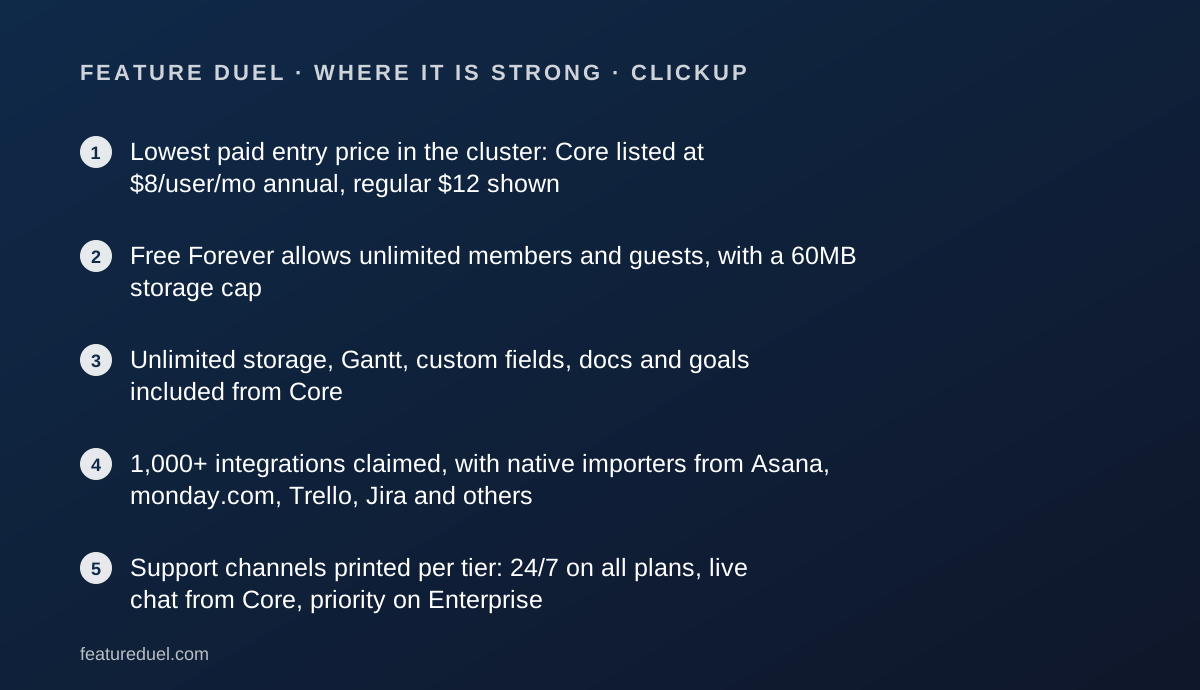
- Lowest paid entry price in the cluster: Core listed at $8/user/mo annual, regular $12 shown
- Free Forever allows unlimited members and guests, with a 60MB storage cap
- Unlimited storage, Gantt, custom fields, docs and goals included from Core
- 1,000+ integrations claimed, with native importers from Asana, monday.com, Trello, Jira and others
- Support channels printed per tier: 24/7 on all plans, live chat from Core, priority on Enterprise
- Automation quotas are generous: 1,000 actions/mo on Core, 10,000 on Business
Where it falls short
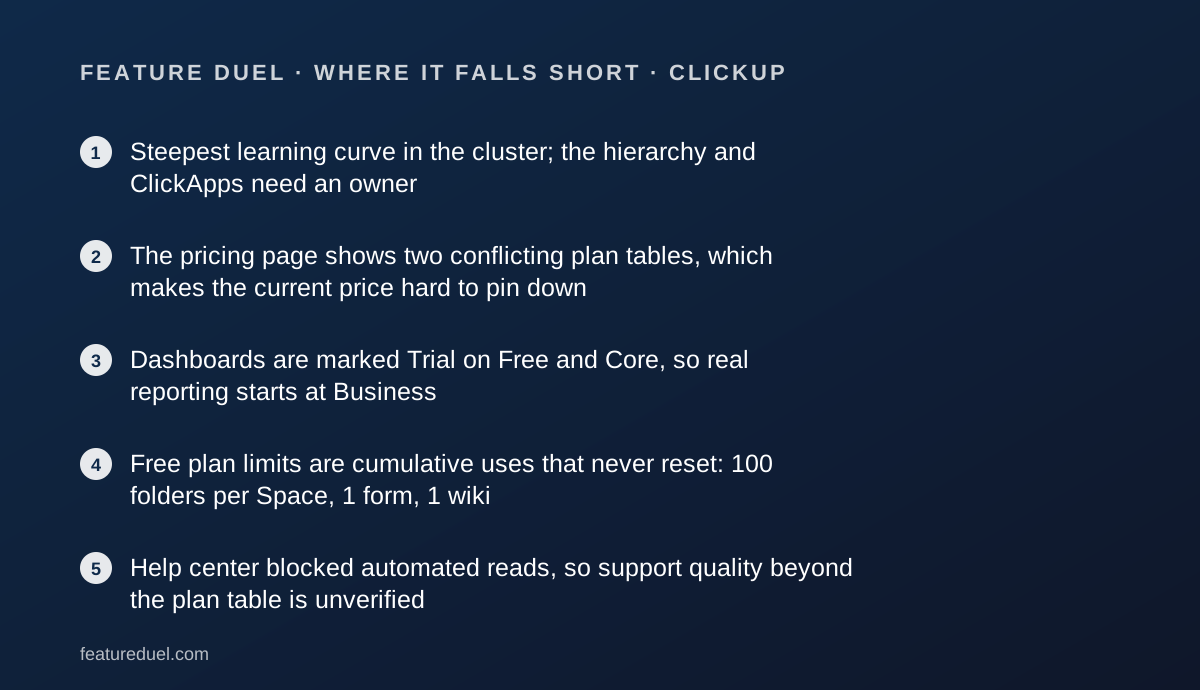
- Steepest learning curve in the cluster; the hierarchy and ClickApps need an owner
- The pricing page shows two conflicting plan tables, which makes the current price hard to pin down
- Dashboards are marked Trial on Free and Core, so real reporting starts at Business
- Free plan limits are cumulative uses that never reset: 100 folders per Space, 1 form, 1 wiki
- Help center blocked automated reads, so support quality beyond the plan table is unverified
At a glance
| Starting price | $8/user/mo billed annually (Core), regular $12 shown |
|---|---|
| Pricing note | From $8/user/mo billed annually, regular $12 shown beside it (pricing page, checked October 10, 2026) |
| Free plan | Unlimited members and guests, 60MB storage, 5 Spaces, 100 automation actions/mo |
| Seat minimum | None stated; all Workspace members must be on the same plan |
| Trial | Length not stated; many features marked Trial on Free |
| Support channels | 24/7 support all tiers; live chat from Core; priority on Enterprise; premium on Max |
| Automations | 100/mo Free, 1,000 Core, 10,000 Business, 1M Enterprise and Max |
| AI | Brain credits per user per month: 1,000 Core, 1,500 Business, 3,000 Enterprise, 10,000 Max; add-on $10 per 10,000 |
What ClickUp actually is
ClickUp is a hierarchy with every productivity feature hung off it. A Workspace contains Spaces, Spaces contain Folders, Folders contain Lists, Lists contain tasks, and tasks can contain subtasks and checklists.
Around that spine sit Docs, Whiteboards, Chat, Goals, Dashboards, Forms, Sprints and an AI layer called Brain. Most of these are ClickApps you can switch on or off per Space, which is both the product's power and its reputation for sprawl.
The pitch is one subscription replacing four or five. The pricing page's own comparison table runs to dozens of rows per tier, which tells you how much there is to configure.
The five fixed rounds, onboarding, core workflow, integrations, pricing and support, are explained in how a duel is scored, with the rubric on the editorial policy page.
Who ClickUp is best for
ClickUp fits teams that want breadth at a low price and have the patience to shape it.
- Startups and small agencies consolidating a task tool, a docs tool and a whiteboard into one bill
- Product and engineering teams that want sprints, custom task types and GitHub sync without a separate dev tracker
- Teams with many collaborators, since Free allows unlimited members and paid tiers include guest seats
- Operations leads who enjoy building systems and want custom fields, formulas and automations
- Teams migrating from Asana, Trello, Jira or monday.com, which have native importers
- Budget-constrained teams for whom Core at $8 is the difference between paying and not
Who should skip it
Three groups are better served elsewhere.
- Teams with no one willing to own the workspace; Asana gives structure without setup
- Teams that want a visual board and a manager dashboard on day one; monday.com gets there faster and dashboards are included at Standard
- Teams that need stable list pricing for procurement; the $8 and $17 figures are shown against regular prices of $12 and $25
What the free tier includes (as of October 2026)
Free Forever is the most generous free plan in this cluster on headcount: unlimited members and guests, with guests holding full create and edit permissions, per the pricing page checked October 10, 2026.
The limits are elsewhere. 60MB of file storage. 5 Spaces, 40 Lists per Space, 100 Folders per Space, 1 Form, 1 Wiki, 3 Whiteboards, 2 Teams.
Automations are capped at 5 active rules and 100 actions per month, AI at 500 credits per Workspace, and activity history at one day.
The FAQ states that these uses are cumulative and do not reset. Hitting a limit blocks creating or editing that item type but does not delete data. Kanban, calendar, sprints, collaborative docs, 2FA and 24/7 support are all included on Free.
For comparison, Asana's free plan stops at 2 users and monday.com's at 2 seats and 3 boards. ClickUp's free plan is a real team workspace until the storage cap bites.
How the pricing is structured
The pricing page we read on October 10, 2026 shows two plan tables, and this review treats the newer one as current: Free Forever $0, Core $8, Business $17, Enterprise custom, Max $100, all per user per month billed annually.
Beside Core, Business and Max the page prints struck-through regular prices of $12, $25 and $120. We print both because a buyer who budgets at $8 and renews at $12 has been surprised by 50 percent.
Monthly billing figures are not shown for the newer tiers. The older table on the same page lists Unlimited at $7 annual or $10 monthly and Business at $12 annual or $19 monthly. If those names appear on your invoice, you are on legacy pricing.
For a team of 10, editorial calculation: Core $80 per month at the listed price or $120 at regular; Business $170 or $250. Billing is per Workspace, every member must be on the same plan, and mid-cycle additions are prorated. No seat minimum is stated.
The annual-versus-monthly question is covered in annual billing vs monthly billing. Guest seats on paid plans scale with paid users, which removes most of the temptation discussed in shared login vs a seat per person.
What sits behind the paywall
Core unlocks custom fields and task types, unlimited storage and Spaces, unlimited forms and Gantt charts, unlimited chat, goals, guest permissions, email in ClickUp, cloud storage integrations and live chat support. Automations rise to 1,000 actions per month.
Business adds advanced dashboards, webhooks, resource management, Google SSO with SMS 2FA, private views and docs, timesheets, time-in-status reports, Workload and Timeline views, and standard reporting. Automations rise to 10,000 per month.
Enterprise adds white labelling, unlimited custom roles, enterprise permissions, SAML and SCIM, audit logs, session management, MSA and HIPAA, data residency, enterprise API, connected search across Google Drive, OneDrive, Gmail, Teams and Slack, and 1M automation actions.
Max is Enterprise plus the full AI layer: unlimited AI fields, notetaker, image generation, autopilot agents, AI dashboard cards, 10,000 pooled credits per user per month, custom skills and MCP connections with no daily cap.
Brain credits on lower tiers are 1,000 on Core, 1,500 on Business and 3,000 on Enterprise, with a $10 per 10,000 credit add-on, per the pricing page.
Ease of use: what the onboarding score is built from
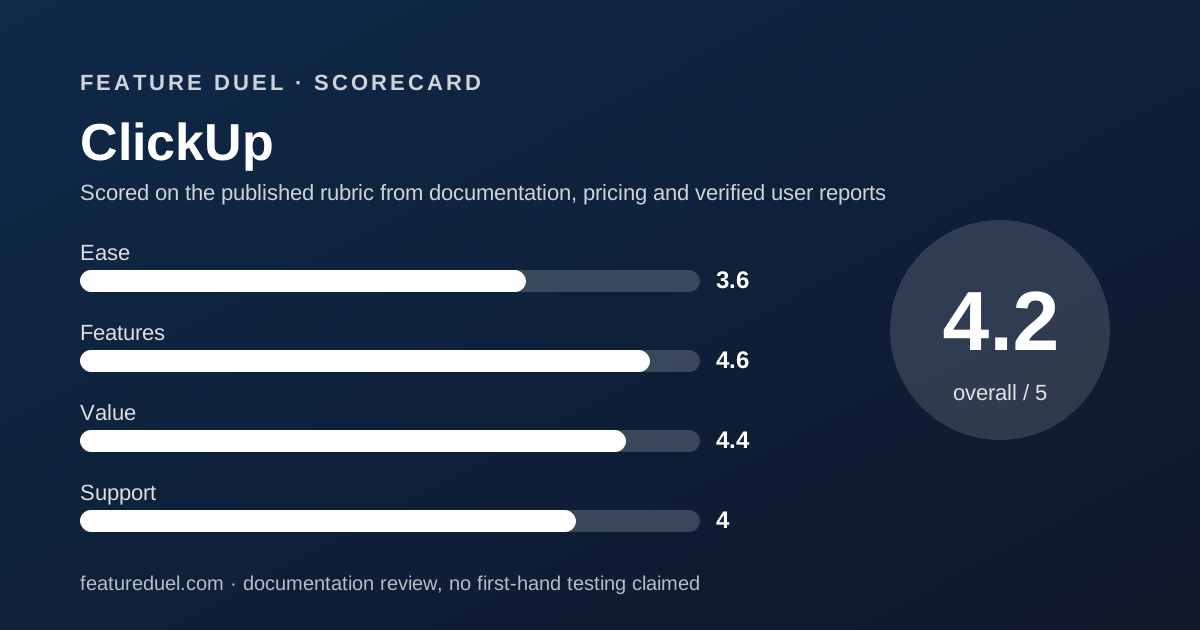
The 3.6 for ease is the lowest score ClickUp earns and the lowest onboarding score in this cluster. It comes from the vendor's own documentation, not from a demo.
The four-level hierarchy must be understood before a team can agree where anything lives. ClickApps add a per-Space settings layer. The plan table itself distinguishes Trial, limited and included states for dozens of features, which is a lot to parse before buying.
Two things lift the score. Native importers from Asana, Trello, Todoist, Jira, monday.com, Basecamp, Wrike and Confluence make switching mechanical. And unlimited free members mean the whole team can learn on Free before anyone pays.
The help center blocked our read on October 10, 2026, so its onboarding content is not scored.
Features: what the core workflow score is built from
The 4.6 for features is the highest score in this cluster and it is earned on sheer coverage. Tasks, subtasks, checklists, custom task types, dependencies, Gantt, sprints, docs, whiteboards, chat, forms, goals and dashboards all live in one product.
The decisive line for the core workflow round is what Core includes at $8: unlimited custom fields, unlimited Gantt, unlimited storage, goals and docs. Asana charges $10.99 for custom fields and Gantt on Starter; monday.com puts Gantt on Standard at $12.
Automation quotas are generous relative to monday.com: 1,000 actions per month on Core and 10,000 on Business, against 250 on monday.com Standard. Asana remains the only one of the three with unmetered automations.
The integrations round is strong. The integrations page claims 1,000+ integrations, with native connectors for Slack, GitHub, GitLab, Google Drive, Microsoft Teams, Salesforce, HubSpot, Jira, Zoom, Figma and OpenAI, and Zapier and Make for the long tail. Webhooks require Business.
The deduction is that dashboards are marked Trial on Free and Core. Reporting, which is where monday.com shines early, starts at Business. The head-to-head is in ClickUp vs Asana.
Value: what the pricing score is built from
The 4.4 for value reflects the cheapest paid entry in the cluster carrying the most features. Core at $8, or even at the regular $12, includes more than Asana Starter at $10.99 or monday.com Standard at $12.
All three figures are from the vendors' pricing pages checked October 10, 2026.
For a team of 10 the editorial arithmetic is $80 per month on Core against $109.90 on Asana Starter and $120 on monday.com Standard. At Business, $170 buys dashboards and 10,000 automations where monday.com Pro costs $190 for 25,000.
The deduction is pricing clarity. Two tables on one page, struck-through regular prices and legacy plan names make it hard to know what you will pay at renewal.
We flag that as a buyer risk, not a trick, because the regular price is printed in plain sight.
Support: what the score is built from
The 4.0 for support is the highest in this cluster, and it is earned almost entirely on transparency. ClickUp's plan table prints support against every tier.
24/7 support appears on Free, Core, Business, Enterprise and Max. Live chat starts at Core. Priority support is on Enterprise and Max, and premium support on Max only.
Neither Asana nor monday.com publishes a per-tier support table. A buyer filling in a procurement form can copy ClickUp's row straight across.
The deduction is verification. help.clickup.com returned a 403 to our automated read on October 10, 2026, so we cannot describe the knowledge base, ClickUp University or any stated response times.
The older plan table mentions a Customer Success Manager on Enterprise; the newer table does not, so we do not promise one.
What verified users report
G2, Capterra and TrustRadius blocked automated reads of their ClickUp pages on October 10, 2026. This review prints no aggregate rating and no review count rather than quote a number we did not see.
The free plan with unlimited members is the practical substitute: a team can form its own view before paying anything. We will add aggregator figures with the date checked when the pages become readable.
Limits stated by the vendor
Per the pricing page checked October 10, 2026. Free: 60MB storage, 5 Spaces, 40 Lists per Space, 100 Folders per Space, 1 Form, 1 Wiki, 3 Whiteboards, 2 Teams.
Free also caps API calls at 100 per minute, automations at 5 active rules and 100 actions per month, AI at 500 credits per Workspace, and activity history at 1 day.
Automation actions per month: 1,000 on Core, 10,000 on Business, 1M on Enterprise and Max. AI credits pooled per user per month: 1,000, 1,500, 3,000 and 10,000 respectively.
Webhooks and SMS or email automation integrations require Business or above. Data residency, audit logs, SAML and SCIM are Enterprise features. The vendor does not state a trial length or a seat minimum.
Alternatives
Both rivals in this cluster beat ClickUp on simplicity and lose to it on price.
Asana. Choose Asana if your work is tasks with one owner and a due date, you want unmetered automations, and you would rather have fewer settings than more features. Otherwise choose ClickUp if you want docs, whiteboards and sprints in the same bill.
The five rounds between them are in ClickUp vs Asana.
monday.com. Choose monday.com if your team wants a visual board and a manager dashboard this week and can budget for Pro. Otherwise choose ClickUp if you need dashboards later and savings now. monday.com's own duel is Asana vs monday.com.
If you are weighing one platform against a stack of specialists, that argument is settled first in all-in-one suite vs best-of-breed stack.
Bottom line
ClickUp takes the pricing round, the core workflow round and the support round of this cluster on published facts. It loses onboarding to both rivals and that loss is real: a team without a setup owner will not reach the value.
Buy it if you want the most tool per dollar and someone enjoys configuring it. Read the regular price beside the listed price before you budget, and start on Free with the whole team, since members are unlimited.
This is a documentation review based on ClickUp's pricing page, plan table and integrations page, checked October 10, 2026. The help center was unreadable to us on that date, and this review says so.
Buy it if
- You want docs, whiteboards, chat and tasks in one bill and are prepared to turn off what you do not use
- Someone on the team will own the workspace setup and keep the hierarchy tidy
- Your budget is the deciding factor; Core at $8 undercuts every paid rival tier
- You run sprints or need custom task types without buying a separate dev tool
Skip it if
- Nobody wants to configure anything; Asana and monday.com are usable sooner
- You need dashboards on the cheapest tier; they are marked Trial until Business
- Your procurement team dislikes promotional pricing, since the regular price is $12 not $8
Frequently asked
Is ClickUp free?
Yes. Free Forever allows unlimited members and guests with 60MB of file storage, 5 Spaces, 1 form, 3 whiteboards, 5 active automation rules and 100 automation actions per month, per the pricing page checked October 10, 2026. Uses are cumulative and do not reset.
How much does ClickUp cost for 10 people?
Editorial calculation from the annual prices shown October 10, 2026: Core $80 per month at the listed $8, or $120 at the regular $12 printed beside it. Business is $170 at the listed $17, or $250 at the regular $25.
What is the difference between ClickUp Core and Business?
Business adds advanced dashboards, webhooks, resource management, Google SSO, private views and docs, timesheets, Workload and Timeline views, and lifts automations from 1,000 to 10,000 actions per month, per the plan table. Core already includes unlimited storage, Gantt and custom fields.
Does ClickUp have a seat minimum?
The pricing page states no seat minimum. Billing is per Workspace and all members must be upgraded together, with mid-cycle additions prorated. Only Enterprise bank transfers mention an unspecified minimum order.
What support does ClickUp include?
Per the plan table checked October 10, 2026: 24/7 support on every tier including Free, live chat support from Core upward, priority support on Enterprise and Max, and premium support on Max. ClickUp Assist sells 2 hours of 1:1 expert time per month as an add-on.
Is ClickUp harder to learn than Asana?
By the vendors' own documentation, yes. ClickUp has a four-level hierarchy of Spaces, Folders, Lists and tasks plus optional ClickApps, each with settings. Asana's model is task, owner, date, project. That is why ClickUp scores 3.6 on ease against Asana's 4.3.
Can I import from Asana or monday.com into ClickUp?
Yes. The integrations page lists automatic importers for Asana, Trello, Todoist, Jira, monday.com, Basecamp, Wrike and Confluence, as of October 10, 2026. Field mapping quality is not described on the page, so test with a copy first.
Sources
- ClickUp pricing page and plan table - checked October 10, 2026
- ClickUp integrations page - checked October 10, 2026
- ClickUp Help Center (blocked automated read on check date) - checked October 10, 2026
Update history
- October 10, 2026 - First published. Pricing page, plan table and integrations page checked; help center returned 403.
Visit ClickUp
We have no affiliate relationship with this vendor. Link goes to the official site.